So a NEW YEAR is here and we are starting our MAKERSPACES. I love watching the students use their creative juices and discuss what their possibilities are with the makerspaces. This year I am approaching this with a more planned strategy. I have presented the 5th graderswith six possibilities they are:
Makey-Makey
LittleBits
Finch Robots
Green Screen
Animation
3D Pen
Students spend one class watching videos of their choice on the various topics presented and then at the end of the class I have them sign up for whichever topic they would like to investigate further. I strongly encourage them to not sign up for their first choice until they have explored at least two topics. This has forced them to really think about their choice more than just diving in without any exploration. In fact no one is allowed to sign up for any topic until the end of class when I give them the clue. So far this approach seems to be working better than last year!
At Summit December means the Hour of Code. All grades 1-6 will participate in the the Hour of Code. We are learning about words like ALGORITHM, DECOMPOSE, ABSTRACTION, and PATTERN MATCHING. We will be using these words to create projects that have coding during the next month. Today grades 2-3 practiced making algorithms on making a paper airplane. Next week we will test these out to see how well their algorithm work. This is our first UNPLUGGED coding activity to get us in the CODING mindset.
Here is a pic of students creating their algorithms.
If you can overlook the silly tongue and notice the problem solving strategy they implemented. They needed to build the airplane in order to create the steps. This wasn't part of the directions. They problem-solved to make their job easier. One of the many skills they learn from CODING. Stay tuned to see if the results we effective next week as we fly our planes.
Kindergarteners all received a public library card this week from Ms. Kitchen, the Anderson Children's Public Librarian Assistant.
This is an incentive program from the state of Ohio in which all libraries can partner with schools to issue a card to all kindergarten students. This is a special card that doesn't charge fees and allows children to check out up to 8 books.
It is amazing how many children in today's world still don't visit the public library. Maybe I am a little bias but it is such an amazing place with so much too offer. From books, to various types of media, to makerspace events, to helping with technology issues, and so much more. Kids need to be taught what a special place this is and how it can help them locate and analyze information.
November is over but our learning continues in the Summit Media Center. Here is a look at a few activities that we just completed in the Media Center.
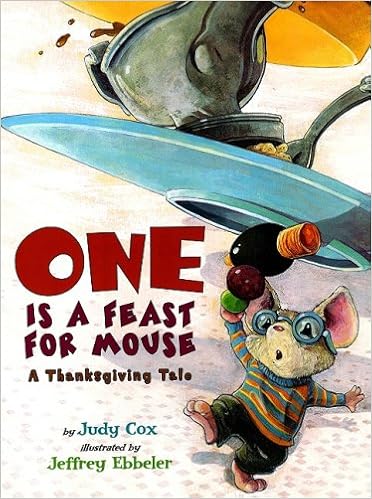
First Graders are THANKFUL for many things. We read
and then students created the traditional hand prints in which they wrote something they were thankful for. We added these to a Thankful Tree in our hall. Some of the things they were thankful for were:
So this year our school is holding weekly PLC (Personal Learning Committee)meetings in which various grade levels meet to plan intervention and enrichment activities. For me this means that I see an extra class or two each week. The art teacher and myself have decided to partner up in lessons on these days. I typically read a book to the students, integrate some technology piece if applicable, and then they rotate to art to create a visual piece that reflects some topic from the book.
Here was the month of October's lesson.
FIRST and SECOND grade students listened to the fun, fun, and more fun book There was an Old Lady Who was Not Afraid of Anything.
I started this lesson by showing this video from YouTube that reads/sings the book. I stopped it before it told the ending and then I physcially read the book to the students. We then watch the rest of the video. Student loved learning about on·o·mat·o·poe·ias and acting them out as we read this book.
Students then rotated to art and made these amazing pumpkins.
I LOVE author visits. Any time I get an opportunity to host an author visit I try to make it happen. Nothing excites a student more than hearing an author speak of their life as an author and the books they create. Thanks to the Blue Manatee book store for providing this opportunity.
Students were talking about his visit for many weeks. They are still waiting to check out his books from the Media Center.
Each Tuesday and Thursday morning we have our Tech/Media crew come into the Media Center to explore whatever it is that their hearts desire as long as it is related to media or tech in some way. I sit back and watch and it is amazing what these kids create and learn by experimenting. I wish there was more time for this during our day. Here is what is happening on some of these cool fall days.
The boys are experimenting with the LittleBits. They have learned how to create vibrations and music sounds so far. They are wanting to build a car next.
Samantha working on keyboarding.
I also have one student who manages our Public Relation slideshow that we run during lunches so he has to make sure the information is up-to-date and ready to show. The information he is responsible for is news, birthdays, school closings, etc. He must also make sure the slideshow if visually appealing to students.
For those of you wanting to know how to organize LittleBits so your students can be independent when placing items back here is a pic of how I did it. You can get the images of the parts from the LittleBits website.
So every afternoon we have a crew come in and do our morning announcements for the next day. We call them WSUM. They are responsonsible for reporting the daily weather, birthdays, lunch menu, fun fact, and any school news we my have. I have the fortunate experience of leading 15 great kids on this journey. This year marked a few changes- one of which involved using the Green Screen to film. We are loving it! Take a look at one of our WSUM videos (this one was a little long because we had book talkers for the upcoming book fair)!

 Finch Robots
 Green Screen
 Animation
 3D Pen
 Students spend one class watching videos of their choice on the various topics presented and then at the end of the class I have them sign up for whichever topic they would like to investigate further. I strongly encourage them to not sign up for their first choice until they have explored at least two topics. This has forced them to really think about their choice more than just diving in without any exploration. In fact no one is allowed to sign up for any topic until the end of class when I give them the clue. So far this approach seems to be working better than last year!